Free beta

Before you commit

Event revenue and costs: know what is left before you say yes

A €380 booth fee, three people for ten hours, plus food and travel — is the street festival worth it? Mobistro works it out from what you plan to sell and the costs you enter for the event. Afterwards you see whether the numbers held up.

Request free beta access

Free beta for selected operators in the US, UK, Switzerland, and Europe.

pitstop.mobistro.app · Cost planning
Mobistro cost planning for a street festival with staff, booth fee, travel and other costs, next to the calculation down to the planned remainder after recorded costs

For operators who pick their events

Food trucks, market vendors and caterers for whom every inquiry is a small calculation: booth fee against expected guests, staff against sales. If you cannot or will not take every date, you need the number before you commit — not from your accountant at year end.

Check fees and conditions before you commit

From day-to-day operations

The math happens in someone’s head — or not at all

  • The booth fee is right there in the inquiry; expected sales are a gut feeling.
  • Staff, travel and food only get added up after the event, if at all.
  • Gross and net get mixed up, and sales tax (VAT) ends up counted as income.
  • Nobody checks afterwards whether the event went the way it was planned.

What goes into the calculation

Mobistro plans revenue from what you sell and sets the costs you record for the event against it. The math runs on net figures, so sales tax never counts as income.

Revenue from dishes and drinks

Pick recipes and directly sold items with their menu price and enter how many you expect to sell. The kitchen’s prep quantity sits alongside and is only used when you click it. A single event can carry its own price if needed.

Flat fees for catering

If you charge a fixed price, plan it as lump-sum revenue — split into parts such as food and staff & setup if you like. You enter each part before tax, pick its rate and see the gross amount alongside.

Costs from business defaults

Food, staff, booth fee, travel and other costs. Anything that repeats, such as hours times a cost rate for staff or a flat travel charge, you set up once as a default and apply to each event on purpose.

Net figures, plainly named

Planned revenue shows both gross and net; the calculation uses net. What remains is called the remainder after recorded costs — not profit, because anything you did not record is missing from it.

An example

The street festival, worked through

Taco Móvil is deciding whether to sell at the street festival in the old town: 260 expected guests and a €380 booth fee. Here is the calculation in Mobistro, shown on real app screens.

  1. 01

    Plan revenue

    150 Taco Carne and 110 Taco Pollo at €6.50 each, plus 180 bottles of Agua de Jamaica at €3.50. Mobistro takes out the tax rate of each sales category — using hypothetical example rates of 7% on food and 19% on drinks: €2,320.00 gross, €2,108.84 net.

    pitstop.mobistro.app · Revenue planning
    Mobistro revenue planning for the street festival: expected net and gross revenue, with Taco Carne and Taco Pollo, their expected sales and menu price below
  2. 02

    Set costs against it

    Goods costs come from preparation and direct sales: €486.47 for the tacos and €153.00 for the drinks, valued at purchase prices excluding sales tax. Staff and travel come from your business defaults; you enter the booth fee, and ice and gas yourself.

    Street festival · planned, excluding sales tax
    Expected net revenue
    €2,108.84
    Goods costs
    −€639.47
    Remaining after goods costs
    €1,469.37
    Other costs
    −€958.00
    Planned remainder after recorded costs
    €511.37

    Other costs: staff €495.00 (30 hours at €16.50), booth fee €380.00, travel €45.00, ice and gas €38.00.

  3. 03

    Compare after the event

    At wrap-up you enter the actual net revenue from your POS report, along with goods and other costs. Mobistro puts plan and result side by side — here for the last weekly market: €84.55 more revenue than planned and €80.68 more left over.

    pitstop.mobistro.app · Closing
    Mobistro event closing with the planned and actual table for net revenue, goods costs, other costs and the remainder after recorded costs
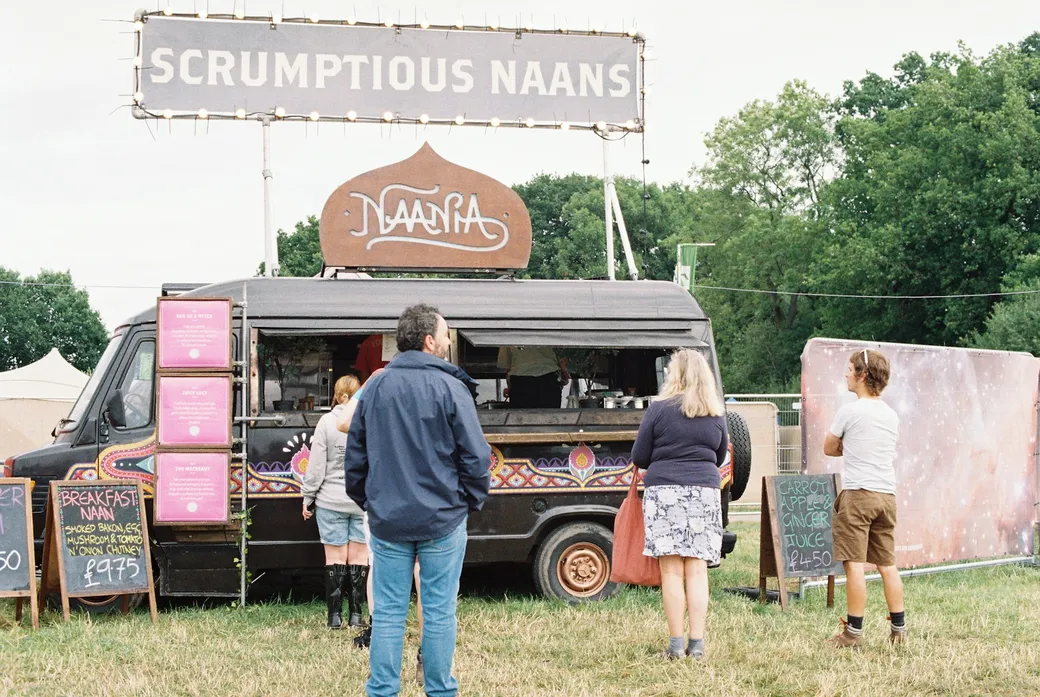
Food truck on a festival ground with guests lining up in front of it

A clear boundary

A decision aid, not accounting

Mobistro does not read sales from your POS and produces nothing for your tax filings. The currently released app does not spread monthly fixed costs across events, and it does not adjust expected sales to a changed guest count on its own — it flags the change for you. What you see at the end is what is left after the costs you recorded.

Frequently asked questions

How are operating cost shares included?

The free event calculator includes a known share or a simplified monthly estimate. Seasonal businesses also need to consider costs from months without events. A separate remaining amount after an operating cost share is being prepared for the app and has not been released. It is intended to support known event amounts or optional amounts per operating day, with optional calculation from recurring annual costs and expected operating days. No mandatory annual planning is intended. The share remains planned even in an actual comparison. The existing remaining amount after recorded costs keeps its meaning.

Does Mobistro calculate with gross or net figures?

You keep menu prices including tax, the way guests pay them. For the calculation, Mobistro takes out the tax rate that applies to the recipe or item — its sales category’s rate. The 7% and 19% here are hypothetical examples, not recommended assignments. Purchase prices and costs are entered excluding sales tax; wages count in full.

Is the remainder after recorded costs my profit?

No. It shows what is left after the costs you entered for the event. Fixed costs, depreciation and anything you did not record are not in it. That is enough to decide whether a date is worth it, not enough for a tax return.

Where do goods costs come from?

From preparation and direct sales: recipes count with the quantity the kitchen preps, directly sold items with their expected sales — each at your purchase prices. The packing list is not added a second time. If it holds supplies that are neither, such as napkins or cups, Mobistro does not calculate goods costs automatically. You then enter one total for all goods, recipes and drinks included.

Where does the menu price come from?

You maintain it once on the recipe or item, where the app calls it the guest price. There, Mobistro suggests a selling price from goods cost and your food cost target; whether you use it is up to you. Revenue planning keeps the price that applied when you saved the plan. If it changes later, you pull in the new standard on purpose or set an event price.

What happens if the guest count changes?

Revenue planning flags that expected sales should be reviewed. They are not adjusted automatically — how much more a larger crowd buys is your call.

Can I set up recurring costs such as staff once?

Yes. In your organization settings you create defaults, either as a fixed amount per event or as hours times a cost rate. On the event you apply them with a click and confirm by saving. Existing events stay unchanged, and defaults are never added to recipe prices.

Who can see the numbers?

Admins and managers. The crew on site works with the packing list, prep and briefing, but does not see revenue or cost planning.

Work out the next event before you commit.

Revenue planning, cost planning and the closing comparison — free during beta, with no POS change needed.